

Freelancing offers ultimate freedom, but it comes with a hidden cost: you are the CEO, the project manager, and the employee all at once. The biggest threat to your income isn’t a lack of clients, it’s the constant administrative chaos that eats away at your billable hours. This is exactly why it helps to understand how freelancers use AI calendars to fight back.
Many freelancers try to solve this with colorful color-coding in Google Calendar, but static calendars can’t adapt when a client cancels or a deadline shifts. That is why successful solopreneurs are changing how they work, moving from manual planning to AI-assisted scheduling.
In this guide, we aren’t just listing tools. We will explore exactly how freelancers use AI calendars to reclaim their time, automate client bookings, and finally separate their work life from their personal life.
Why time management is harder for freelancers?

For a traditional employee, the schedule is often dictated by the boss. For a freelancer, every hour requires a decision. This leads to a specific type of exhaustion known as decision fatigue, and it is a big part of why so many are looking at how freelancers use AI calendars to plan their day instead.
When you manage multiple clients, you are constantly battling context switching. You might spend the morning writing code for Client A, jump on a sales call for Client B at noon, and try to do accounting at 2 PM. Each switch drains your mental battery.
The problem with traditional time management is that it is manual. If an emergency lands in your inbox, you have to stop working and spend 20 minutes rearranging your blocks in Google Calendar. This “calendar tetris” is unpaid labor that kills your productivity.
What an AI calendar really does (beyond a standard calendar)
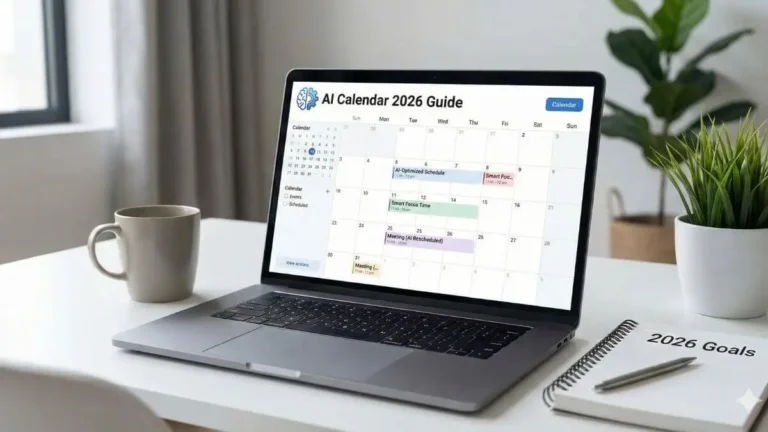
To understand how freelancers use AI calendars, you must first understand that an AI calendar is not just a place to store dates. It is a smart calendar that acts like a digital executive assistant.
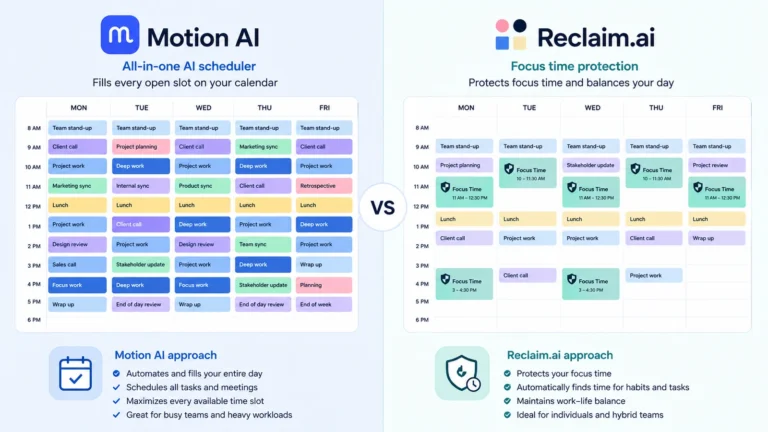
Unlike a static calendar where a time block is “stuck” at 10 AM, an AI scheduling assistant uses dynamic scheduling. If a meeting runs late, the AI automatically reshuffles your task list, moving your deep work blocks to the next available slot without you lifting a finger.
It doesn’t just show you when you are busy; it proactively defends your time, ensuring that your priorities, not just your meetings, get a seat at the table.
How freelancers use AI calendars in real life
Theory is great but how does this actually look on a Tuesday morning when you have three deadlines? The real power of AI lies in its ability to adapt to the chaos of freelance life. Here are the three most common ways independent professionals use these tools to regain control.
1. Protecting “deep work” automatically

As a freelancer, your revenue is directly tied to your output. If you spend your day in meetings, you aren’t billing. This is where the concept of deep work becomes critical.
Instead of manually dragging a “Do Not Disturb” block onto your calendar (which you usually ignore), you set a policy in your AI calendar: “I need 4 hours of focus time every day.” The AI scans your schedule and locks these hours in before anyone can book you.
If a client tries to schedule a call via your booking link, the AI won’t show them these protected slots. It essentially acts as a gatekeeper for your billable hours, ensuring that your most important work always gets prioritized over administrative noise.
2. Managing multiple clients without overbooking

One of the hardest parts of freelancing is juggling different projects without letting one slip through the cracks. This mental juggling act often leads to context switching, the brain drain that happens when you jump from “creative mode” for Client A to “spreadsheet mode” for Client B.
Freelancers use AI calendars to batch similar tasks together automatically. You can assign specific tags to different clients (e.g., “Client A – High Priority”). The AI will then try to group all tasks for Client A into a single block, rather than scattering them throughout the week. This keeps your mind focused and prevents the feeling of being pulled in ten directions at once.
3. Reducing decision fatigue & admin stress

Have you ever spent 15 minutes staring at your calendar, trying to figure out what to do next? That is decision fatigue, and it kills your momentum.
By using automated scheduling features, freelancers eliminate the daily planning phase entirely. You simply dump all your tasks into the system (revisions, invoices, outreach) and add a deadline. The AI builds the schedule for you.
Furthermore, smart booking links end the “Are you free at 2 PM?” email dance. Unlike standard links that only check for empty slots, AI booking links check your workload. If you are already maxed out on tasks for Tuesday, the AI won’t offer that day to a new lead, preventing you from accidentally overcommitting.
Key benefits of AI calendars for freelance workflows
Beyond just “getting organized,” here is how freelancers use AI calendars to unlock real, tangible business benefits for independent contractors.
- Increased Billable Capacity: By automating the 3-5 hours a week you used to spend on scheduling emails and planning, you open up capacity for one more billable project per month.
- Better Work-Life Balance: Freelancers are notorious for overworking. A smart calendar allows you to block out “Lunch” or “Gym” as hard events. The AI works around your life, rather than squeezing your life into work gaps.
- Professionalism: Sending a seamless, automated booking link that respects your availability makes you look like an agency, not just a struggling soloist.
Common mistakes freelancers make
Adopting freelance scheduling with AI requires a mindset shift. Here is where most people fail:

1. Micro-managing the AI
If you constantly drag and drop blocks manually, you break the algorithm. You have to learn to trust the dynamic scheduling engine.
2. Partial adoption
The AI needs to know everything to work. If you put your work meetings in the AI but keep your dentist appointment in a paper planner, you will get double-booked.
3. Overstuffing the day
AI helps you fit more in, but it can’t manufacture time. Don’t set your work hours to 12 hours a day just because the calendar allows it.
Is using an AI calendar worth it for freelancers?
Let’s look at the ROI. Pricing varies by tool: Reclaim.AI has a free plan and paid tiers starting around $12 a month, while Motion starts at $19 a month for its Pro plan and $29 for Business.
If your hourly rate is $50, even the pricier tools only need to save you about 25 minutes per month to break even. Given that automated scheduling and task batching typically save freelancers 2-4 hours per week, the return on investment is immediate. For solopreneurs with high meeting volumes, it is essentially a non-negotiable business expense.
Next step: choosing the right tool
Now that you understand how freelancers use AI calendars to automate their day, the next step is finding the software that fits your specific workflow.
Not all tools are created equal. Some are aggressive (great for ADHD), while others are gentle (better for work-life balance).
🚀 Ready to upgrade your stack?
- To see the top-rated options, read our guide: Best AI Calendar Tools for Busy Professionals.
- If you are debating between the two market leaders, check out our financial comparison: Motion AI vs Reclaim.ai: Which Is Worth the Money?.
FAQ: common questions about AI scheduling
Will an AI calendar mess up my existing Google Calendar?
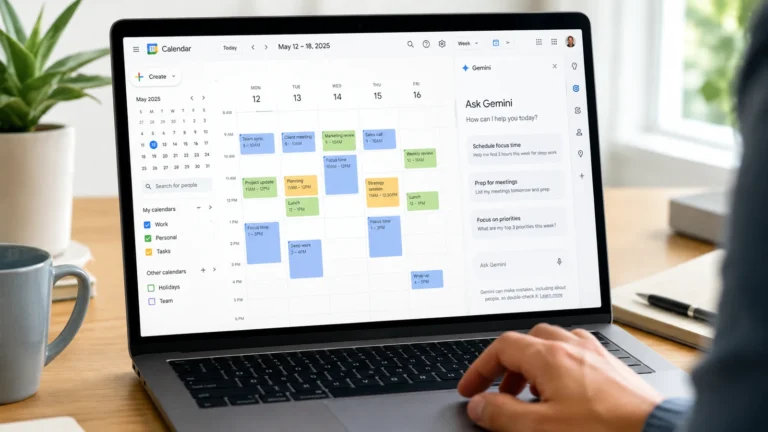
No. Most AI tools sit on top of Google Calendar. They read and write to it, but your data stays safe. If you cancel the tool, your calendar just goes back to being a normal static calendar.
Can I use these tools if I have a full-time job and freelance on the side?
Yes. In fact, this is the best use case. You can sync your “Day Job” calendar and your “Freelance” calendar so the AI knows never to double-book you across your two lives.